


Artificial intelligence is no longer a buzzword for tech geeks — in 2026, it has become the most powerful study partner a student can have. Whether you’re writing an essay at midnight, solving calculus problems, or preparing for board exams, free AI tools for students can save you hours every single day.
But here’s the problem: most “best AI tools” lists include tools that go behind a paywall after five minutes. This article is different. We tested every tool below and selected only those with genuinely free tiers that provide real academic value — no credit card required.
Quick Answer: The best free AI tools for students in 2026 are ChatGPT, Google NotebookLM, Grammarly, Perplexity AI, QuillBot, Wolfram Alpha, Notion AI, Google Gemini, Gamma AI, and Khanmigo. Read on for the full breakdown, honest pros & cons, and tips to get the most out of each.

1. ChatGPT – The Ultimate Free AI Study Assistant
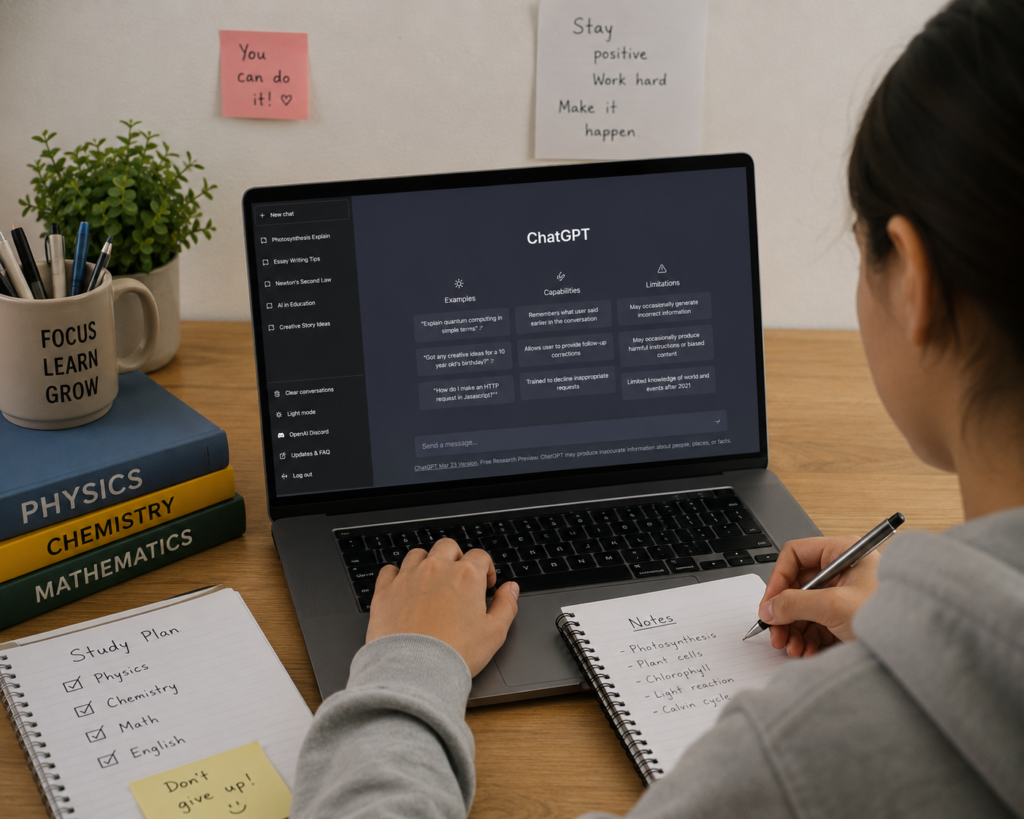
ChatGPT remains the single most versatile free AI tool for students in 2026. Powered by OpenAI’s GPT-4o model (free on web), it can explain any concept in plain language, draft essays, create revision schedules, generate practice questions, write code, and summarize lengthy readings — all in one chat window.
Students use it to break down complex textbook chapters, simulate exam Q&As, and get instant feedback on their writing. The free tier now includes image analysis, so you can photograph a handwritten problem and ask ChatGPT to solve it step by step.
Best Use Cases for Students
- Explain complex concepts in simple language
- Generate practice exam questions on any topic
- Create a weekly study or revision schedule
- Summarize long chapters or articles
- Debug code and learn programming
- Draft and improve essays or assignments
Pros & Cons
Pros: GPT-4o free on web · Handles text, images & code · No daily cap on core features · Memory feature for personalization · Thousands of custom GPTs for education
Cons: Can hallucinate facts · No inline citations · Slower during peak hours
Free Tier: GPT-4o (web) | Best For: Writing, Explanations, Coding | Platform: Web, iOS, Android
2. Google NotebookLM – The Most Underrated Student Tool of 2026

Google NotebookLM is arguably the most powerful free AI tool for students in 2026 that most people haven’t discovered yet. Upload your lecture notes, textbook PDFs, or research papers, and NotebookLM creates a private AI assistant trained exclusively on your material — meaning it cannot make things up about your course.
It auto-generates study guides, flashcards, FAQ lists, and even a podcast-style Audio Overview where two AI hosts discuss your uploaded content — perfect for auditory learners on the go. The free tier allows up to 100 notebooks with 50 sources each.
Best Use Cases for Students
- Upload entire textbooks or lecture slide decks
- Generate flashcards automatically from your notes
- Ask questions like “Summarize Chapter 4 in simple terms”
- Turn dry PDFs into an audio podcast to listen while commuting
- Cross-reference multiple research papers at once
Pros & Cons
Pros: Answers only from YOUR sources — zero hallucinations · Audio Overview podcast feature · 100 notebooks free forever · Works with PDFs, slides, audio files · Auto-generates flashcards & FAQs
Cons: Won’t answer beyond uploaded docs · No live web search · Requires a Google account
Free Tier: 100 notebooks, 50 sources each | Best For: Exam prep, Note-taking | Platform: Web only
3. Grammarly – Write Every Assignment With Confidence

If you write anything — essays, emails, reports, or assignments — Grammarly is non-negotiable. The free plan catches grammar errors, spelling mistakes, punctuation issues, and flags awkward sentence structures in real time as you type, right inside Google Docs, Microsoft Word, or any browser.
For most students, the free tier is more than enough to significantly elevate the quality of written work. The premium plan adds tone detection, full rewrites, and plagiarism detection — but the free version alone handles the most common writing problems.
Pros & Cons
Pros: Works across all websites and apps · Real-time grammar and spell check · Browser extension available · Integrates with Google Docs and Word
Cons: Plagiarism check is paid only · Sometimes over-corrects informal writing
Free Tier: Grammar + Clarity checks | Best For: Essays, Assignments, Emails | Platform: Web, Extension, App
4. Perplexity AI – Research With Real, Cited Sources

Perplexity AI is the research tool every student wishes Google was. Ask it any question and you get a clear, well-structured answer with inline citations linking to real, verifiable sources. No more wondering if the AI is making something up — every claim is traceable back to its origin.
For research papers, literature reviews, and fact-checking assignments, Perplexity is indispensable. The free tier gives unlimited searches with live, web-sourced answers. It even has an Academic search mode that prioritizes peer-reviewed sources.
Pros & Cons
Pros: Every answer includes clickable source citations · Searches the live web · Academic search mode · Unlimited basic searches free
Cons: Pro models require subscription · Less creative than ChatGPT for writing tasks
Free Tier: Unlimited web searches | Best For: Research, Fact-checking | Platform: Web, iOS, Android
5. QuillBot – Paraphrase, Summarize & Cite in Seconds

QuillBot is the go-to AI tool when you need to paraphrase a source, summarize a long article, or rephrase your own work to improve clarity. The free paraphraser rewrites up to 125 words at a time, while the summarizer can condense a 20-page article down to a clear paragraph.
It also includes a free citation generator supporting APA, MLA, and Chicago formats — a lifesaver for bibliography sections. Combined with Grammarly, QuillBot is a powerful free AI writing toolkit for any student.
Pros & Cons
Pros: Free paraphraser and summarizer · Free citation generator (APA, MLA, Chicago) · Multiple paraphrase modes · Works well in Indian English
Cons: Free paraphraser limited to 125 words per turn · Advanced modes are paid only
Free Tier: 125-word paraphraser | Best For: Paraphrasing, Citations | Platform: Web, Extension
6. Wolfram Alpha – The Gold Standard for Math & Science
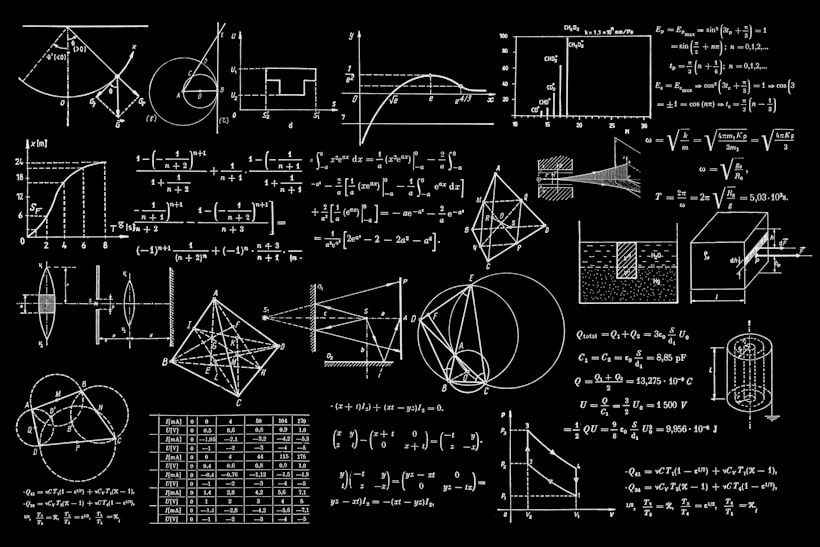
For STEM students, Wolfram Alpha is an absolute must-have. Unlike a chatbot, it is a computational knowledge engine that solves calculus, algebra, statistics, chemistry equations, and physics problems with precise, verified, step-by-step solutions. It never hallucinates — every answer is mathematically exact.
Type “integrate x² from 0 to 5”, “balance H₂ + O₂ → H₂O”, or “find the derivative of sin(x²)” and instantly get the full worked solution. It is the most reliable AI tool for quantitative subjects available today.
Pros & Cons
Pros: 100% accurate for math and science · Shows step-by-step working · Covers calculus, chemistry, physics, stats · Zero hallucinations
Cons: Not a conversational AI · Full step-by-step detail locked behind Pro plan
Free Tier: Answers + basic steps | Best For: Math, Physics, Chemistry | Platform: Web, App
7. Notion AI – Your Smart Study Organizer
Notion is already the favourite productivity app among students, and with its built-in AI features, it becomes a true academic command centre. The free plan gives unlimited pages, databases, and basic AI responses that can summarize your notes, generate to-do lists, draft templates, and help you stay on top of deadlines.
Build your own digital second brain — connect lecture notes, project trackers, book summaries, and exam timetables — all searchable and interconnected with AI assistance.
Pros & Cons
Pros: All-in-one workspace for students · Unlimited pages on free plan · AI can draft, summarize, and translate · Great for project and deadline management
Cons: AI responses are limited on the free tier · Slight learning curve for new users
Free Tier: Unlimited pages + basic AI | Best For: Organization, Note-taking | Platform: Web, Desktop, Mobile
8. Google Gemini – AI Built Directly Into Your Google Account

Google Gemini is a powerful multimodal AI that works with text, images, and Google Drive files. Students with a Google account get access to Gemini 2.0 Flash for free — fast, capable, and deeply integrated across Gmail, Docs, and Slides, making it uniquely useful for academic work that lives in Google Workspace.
Students with a valid .edu email address may also qualify for the Gemini for Students programme, unlocking additional features at no cost. Ask it to explain a Biology diagram, summarize a YouTube video, or help draft a college application letter.
Pros & Cons
Pros: Integrated with Google Docs, Drive, and Gmail · Multimodal — understands images · Very fast with Gemini 2.0 Flash · Student programme available for .edu emails
Cons: Best features require Google One AI Premium · Less creative than ChatGPT for long-form writing
Free Tier: Gemini 2.0 Flash | Best For: Google Workspace integration | Platform: Web, Android, iOS
9. Gamma AI – Stunning Presentations in Under 60 Seconds

Creating a presentation for class used to take hours. With Gamma AI, you type a topic, pick a design style, and get a fully designed, professional slide deck in under 60 seconds. The free plan gives you 400 AI credits to create presentations, documents, and even web pages.
Gamma auto-generates structured slides with relevant images, smart layouts, and speaker notes. You can then edit everything easily with a drag-and-drop interface. For seminars, project submissions, and group assignments, it is a massive time saver.
Pros & Cons
Pros: Full presentations generated in under 60 seconds · Beautiful professional templates · Can also create documents and websites · Free tier with 400 credits to start
Cons: Credits deplete relatively quickly · Gamma watermark appears on free tier exports
Free Tier: 400 AI credits | Best For: Presentations, Seminars | Platform: Web
10. Khanmigo by Khan Academy – Your Patient AI Tutor

Khanmigo is Khan Academy’s AI tutor — and it is fundamentally different from every other tool on this list. Instead of giving you the answer outright, Khanmigo guides you toward it using the Socratic method: it asks leading questions, provides targeted hints, and celebrates your progress as you work through problems yourself.
It is completely free for students, covering subjects from K-12 maths and science to SAT prep, coding, and world history. If your goal is to genuinely understand a subject rather than just get through an assignment, this is your tool.
Pros & Cons
Pros: Completely free for all students · Socratic method builds real understanding · Covers K–12 curriculum + SAT prep · Safe, education-focused AI design
Cons: Won’t simply hand you the answer · Limited to Khan Academy’s curriculum areas
Free Tier: Fully free for students | Best For: Deep learning, Tutoring | Platform: Web, App
Quick Comparison: All 10 Free AI Tools for Students (2026)
| Tool | Best For | Free Tier | Cites Sources | Mobile App |
|---|---|---|---|---|
| ChatGPT | Writing & Explanations | GPT-4o (web) | ✗ | ✓ |
| NotebookLM | Exam Prep & Notes | 100 notebooks | ✓ | ✗ |
| Grammarly | Writing Polish | Grammar checks | ✗ | ✓ |
| Perplexity AI | Research | Unlimited searches | ✓ | ✓ |
| QuillBot | Paraphrasing | 125 words/turn | ✗ | ✗ |
| Wolfram Alpha | Math & Science | Answers + steps | ✓ | ✓ |
| Notion AI | Organization | Unlimited pages | ✗ | ✓ |
| Google Gemini | Google Integration | Gemini 2.0 Flash | ✓ | ✓ |
| Gamma AI | Presentations | 400 credits | ✗ | ✗ |
| Khanmigo | Deep Learning | Fully free | ✓ | ✓ |
⚠️ Important Reminder: Always verify AI-generated answers with your textbook or teacher, especially for exams. AI tools are study aids — they work best when combined with active learning and critical thinking.
Frequently Asked Questions (FAQs)
What is the best free AI tool for students in 2026?
The best all-round free AI tool for students in 2026 is ChatGPT (GPT-4o, free on web) for its versatility. For exam prep from your own notes, Google NotebookLM is unbeatable. For research with sources, use Perplexity AI. The best strategy is combining 2–3 of these tools together based on your task.
Are these AI tools safe for school and college use?
Yes — tools like Grammarly, NotebookLM, Wolfram Alpha, and Khanmigo are widely accepted for educational use. However, always check your institution’s academic integrity policy regarding generative AI. Using AI to understand concepts is always appropriate; submitting AI-generated text as entirely your own work may violate your college’s policy.
Which free AI tool is best for writing essays?
For essays, use ChatGPT to brainstorm ideas and build an outline, Grammarly to polish grammar and tone, and QuillBot to paraphrase sources correctly. Together they form a powerful free AI essay writing toolkit.
Which AI tool is best for math and science students?
Wolfram Alpha is the gold standard for mathematics, physics, chemistry, and engineering. It gives precise, verified, step-by-step solutions — never hallucinated answers. Pair it with ChatGPT for conceptual understanding alongside calculations.
Do these AI tools work in India?
Yes, all 10 tools listed in this article are fully accessible in India with no regional restrictions. Google Gemini, ChatGPT, Grammarly, and QuillBot are particularly popular among Indian students and work well in Indian English. Most are also available as Android apps.
Can I use these AI tools on a mobile phone?
Absolutely. ChatGPT, Grammarly, Perplexity AI, Google Gemini, Notion, and Khanmigo all have excellent iOS and Android apps. NotebookLM and Wolfram Alpha work well through a mobile browser. You can study smarter from your smartphone entirely for free.
Final Verdict: Best Free AI Tools for Students in 2026
The 10 best free AI tools for students in 2026 are more powerful than any paid software from just a few years ago. The best part? Every single one has a free tier you can start using right now — no credit card, no subscription required.
Here’s our recommended starter combination:
- 📝 For writing: ChatGPT + Grammarly + QuillBot
- 🔬 For research: Perplexity AI + NotebookLM
- 📐 For math/science: Wolfram Alpha
- 🗂️ For organization: Notion AI
- 🎓 For deep learning: Khanmigo
- 📊 For presentations: Gamma AI
Start with one tool, build a habit around it, then add more as you need them. AI isn’t just the future of education — it’s already here, and it’s free. Use it to your advantage.
